You can have the track finished by 9 a.m. and still be staring at a blank launch calendar at 11. The master is done, the Product Hunt page is half-written, the homepage needs motion, and the social team wants something that doesn't look like a template. That's where an AI music video generator earns its keep, not as a novelty, but as a way to turn one song into a launch asset you can ship.
The best tools in this category don't treat music like background noise. They read the song, follow the structure, and generate video around beats, drops, and vocal timing. That matters because launch-day video has to do two jobs at once, it needs to look good immediately, and it needs to stay useful long after the first post goes live.
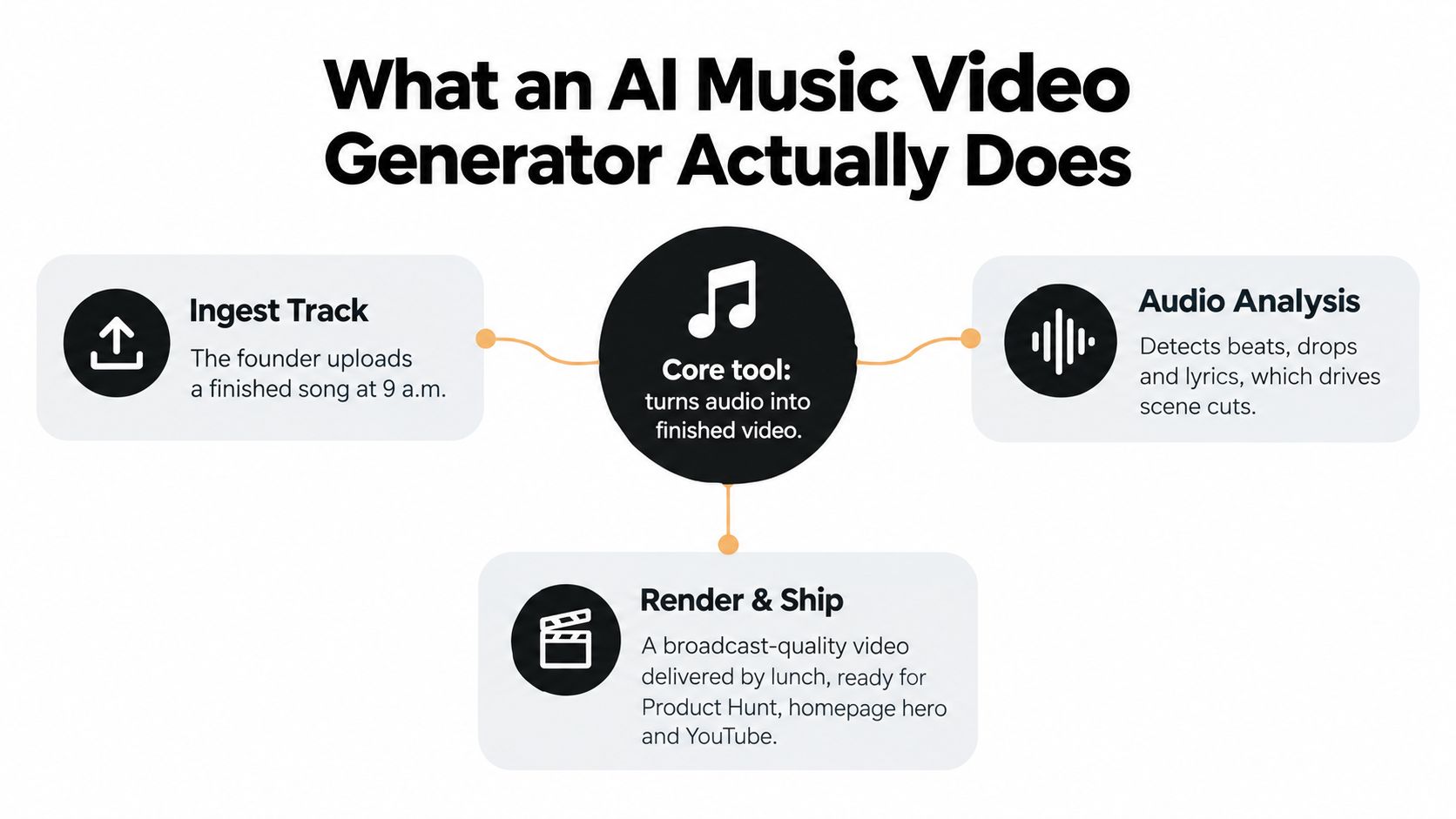
Table of Contents
- What an AI Music Video Generator Actually Does
- The Core Technology Behind Audio to Video Generation
- A Typical End to End Workflow for Generated Music Videos
- How to Choose the Right AI Music Video Generator
- How revid.ai Can Help
- Practical Use Cases for Founders, Creators, and Marketers
- Prompt Examples and Production Tips That Improve Output
- Legal, Copyright, and Ethical Considerations
- Turning Generated Videos Into Launch and SEO Assets
What an AI Music Video Generator Actually Does
A founder uploads a finished track at 9 a.m., and by lunch there's a video ready for the Product Hunt page, the homepage hero, and a YouTube upload. That's the promise, but the useful part is more precise than “make video from music.” An AI music video generator takes an audio file, sometimes along with lyrics, style references, or prompt text, and turns that input into edited visuals that are synchronized to the song.
Music first, not text first
The boundary from generic text-to-video is simple. In a music-first tool, the track is the primary input, so the system cares about beat timing, song structure, and lyric alignment before it cares about cinematic novelty. In a text-to-video tool, the prompt usually drives the scene, and the music is either added later or ignored entirely.
That difference shows up in the output. Music-first systems can produce lyric videos, abstract visualizers, performance scenes, and brand-ready clips with cuts that land on the downbeat. Generic generators usually produce isolated shots that still need manual assembly.
Practical rule: if the tool can't explain how it handles the chorus, the bridge, and the final drop, it's probably a clip generator, not a music video generator.
For launch teams, that distinction matters because the asset has to work on day one and still be reusable on day seven, day thirty, and day ninety. A video that can live on the homepage, in a YouTube description, and in a social cutdown is more valuable than one flashy render that only works in a demo reel.
The broader market context helps explain why the category exists at all. Freebeat.ai reported more than 1 billion seconds of beat-synced content generated by March 26, 2026, and said it served over 1 million creator communities across 200 countries Freebeat.ai milestone report. That scale suggests music-video generation has moved beyond a toy workflow and into a repeatable production habit.
What users actually get
A real workflow can output very different assets from the same song. One render might become a clean lyric-led release video, another a moody loop for a landing page, and a third a short cut for paid social. The practical win is not just speed, it's variability without starting from zero.
A useful AI music video generator is one that helps a team move from “we need a video” to “we have three assets that fit three channels.” That's the shift that makes the category relevant to launch marketing, not just music creators.
The Core Technology Behind Audio to Video Generation
The easiest way to understand the stack is to picture a live editor that listens before it cuts. It doesn't just create imagery, it first extracts structure from the audio, then uses that structure to steer visuals frame by frame.
Audio analysis comes first
The first layer is audio analysis. The system detects BPM, downbeats, section boundaries, and sometimes lyric timing when you provide a timed file. In practice, that means the tool is trying to understand where the verse ends, where the chorus starts, and where the music asks for a visual change.
That matters because the best music videos don't feel randomly edited. They move with the track. In academic work on music-video generation, systems that convert audio into explicit planning signals before diffusion tend to keep long-form coherence more reliably than systems that try to hallucinate an entire video from raw audio alone music-video generation research.
Conditioning steers the visuals
Once the audio features are extracted, they get turned into conditioning signals. You can think of these like instructions the model follows while generating each frame. The model doesn't just receive a prompt, it receives tempo and structure data that influence timing, motion, and scene changes.
That is why UI features like waveform-based auto-edits, beat markers, style selectors, and lip-sync toggles matter. They are not cosmetic. They expose the underlying control layer in a way a non-technical creator can use without touching the model itself.
| Technical Layer | What It Does | User-Facing Feature |
|---|---|---|
| Audio analysis | Detects BPM, sections, and downbeats | Waveform view, beat markers |
| Conditioning | Converts song features into generation guidance | Style presets, timing controls |
| Video generation | Produces frames that follow the audio plan | Render button, clip batches |
| Post-processing | Improves continuity and polish | Upscale, stitch, export settings |
The generative model itself still has limits
The video engine is usually a diffusion model, a transformer-based frame predictor, or a hybrid of the two. In plain language, those systems are good at making plausible motion and style, but they still struggle with long-range consistency. That's why many tools work best in short native clip lengths and still need stitching, upscaling, or interpolation before delivery.
If you want a comparison point for a broader creative stack, the workflow around Aura++ project pages and launch assets is a good reminder that the value isn't only generation, it's packaging. The same logic applies here. The model makes the frames, but the creator still decides whether those frames become a launch trailer, a hero loop, or a social cut.
A Typical End to End Workflow for Generated Music Videos
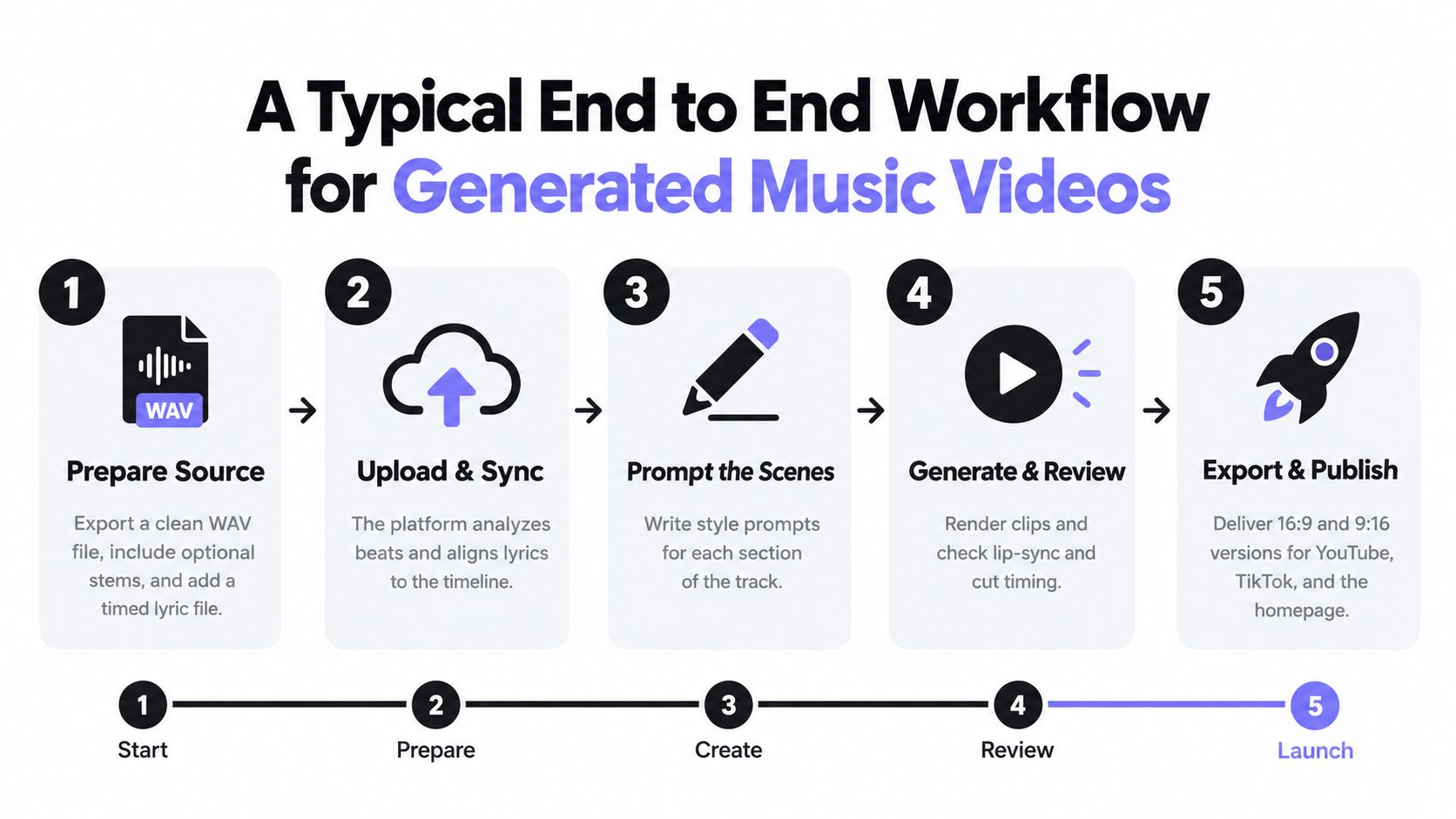
The cleanest output usually starts before the prompt. A clean source track, a timed lyric file, and a clear visual direction beat a loose prompt every time. Teams that treat the generator like a black box usually end up with footage that looks fine in isolation and weak in context.
Start with the source file
Export a clean WAV if you can. If you have stems, keep them available, because some tools respond better when they can separate vocals from percussion or bass. If lyric timing exists, add it, since line-level sync usually produces cleaner overlays than trying to infer text timing later.
Give the model a visual brief it can actually use
A short style reference does more than a long paragraph of inspiration language. Add mood words, one setting, a palette, and a few motion cues. “Night highway, red and blue lighting, slow push-ins, reflective surfaces” gives a model more to work with than “cinematic and futuristic.”
Configure for music, not for generic video
Set the BPM lock if the tool exposes it. Increase cut density only where the track opens up, and keep lyric overlays or lip-sync enabled only when they support the track instead of fighting it. Music-first tools work best when you respect the arrangement instead of asking every section to behave like a chorus.
The difference from general text-to-video is that you're generating to a waveform, not to a single scene idea. That means the output often comes in batches. You review clips against the timeline, keep the ones that hit downbeats cleanly, and reject the ones that drift.
The fastest teams I've seen don't try to perfect the first render. They use the first render to find the parts of the song that deserve more visual emphasis.
Finish in an editor
A lightweight editor still helps. Add a brand intro, captions, an end card, and the right aspect ratios for each channel. One render should become a 16:9 master and a 9:16 cutdown if you want the video to work across YouTube, homepage placement, and short-form social without rebuilding it later.
How to Choose the Right AI Music Video Generator
The right choice depends on whether you want a finished music video, an audio-reactive visualizer, or a clip engine that still needs manual assembly. A founder's evaluation rubric should focus on what the tool does under real launch pressure, not on the prettiest demo.
Score the tool against the work you actually need done
| Criterion | Music-First Generators | General AI Video Models (Runway, Sora, etc.) | Weight |
|---|---|---|---|
| Audio reactivity | Built to follow beats and sections | Usually weak or absent | High |
| Lip sync and lyrics | Often included or supported | Limited or separate | High |
| Style control | Good if the tool is specialized | Strong for cinematic variety | Medium |
| Output length | Better for full-song workflows | Often short clips | High |
| Commercial clarity | Varies by vendor | Varies by vendor | High |
| Editing integrations | Usually export-friendly | Strong for assembly workflows | Medium |
A music-first system is the better fit when the song itself needs to drive the cut. A general video model is more useful when you want a small number of beautiful shots and don't mind editing them together later. Those are different jobs.
If you're comparing tools side by side, look at the practical breakpoints. Music-first generators win when you need beat sync, lyric timing, and a finished music video. General video models win when you want visually striking shots for an external edit. If you're using both, the general model becomes the shot factory and the music-first tool becomes the timing engine.
The internal shortcut I'd use is simple. If the team needs a video in one sitting, prioritize the generator that understands music structure. If the team has an editor and wants more creative control, a clip-based model can still make sense. A good example of a workflow-first product page to compare against is Aura++’s BeatViz project page, because the packaging around a tool often matters as much as the generation itself.
How revid.ai Can Help
revid.ai is useful when the job is broader than one music video. It takes ideas or existing content links and turns them into social-ready videos for TikTok, Instagram, and YouTube, which makes it a stronger fit for teams repurposing launch content than for teams seeking a pure music-video engine. It also includes search features for trending topics, fast script generation, and an editor for final cleanup.
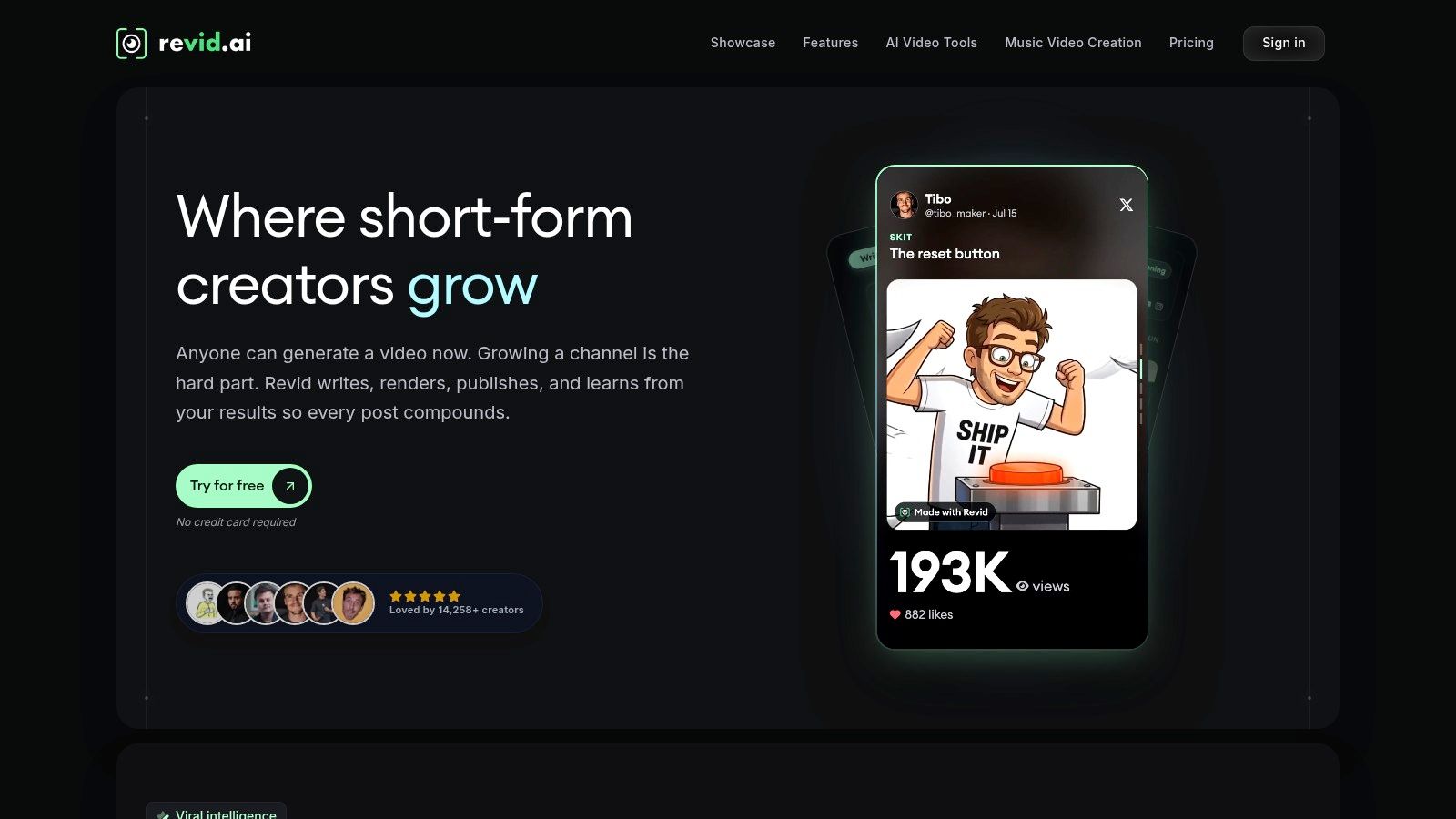
For founders, that matters when the launch video has to become several different clips, not just one master asset. A campaign trailer can be turned into social cutdowns, quote cards, or topic-driven shorts without restarting the workflow. For marketers, that means faster testing across channels and less time spent manually rewriting the same narrative.
A practical place to start is Revid.ai's AI music video generator, especially if your real need is social distribution around a music-led launch rather than a single cinematic render. It's most relevant when the content source already exists and the problem is adaptation, not original scene invention.
Practical Use Cases for Founders, Creators, and Marketers
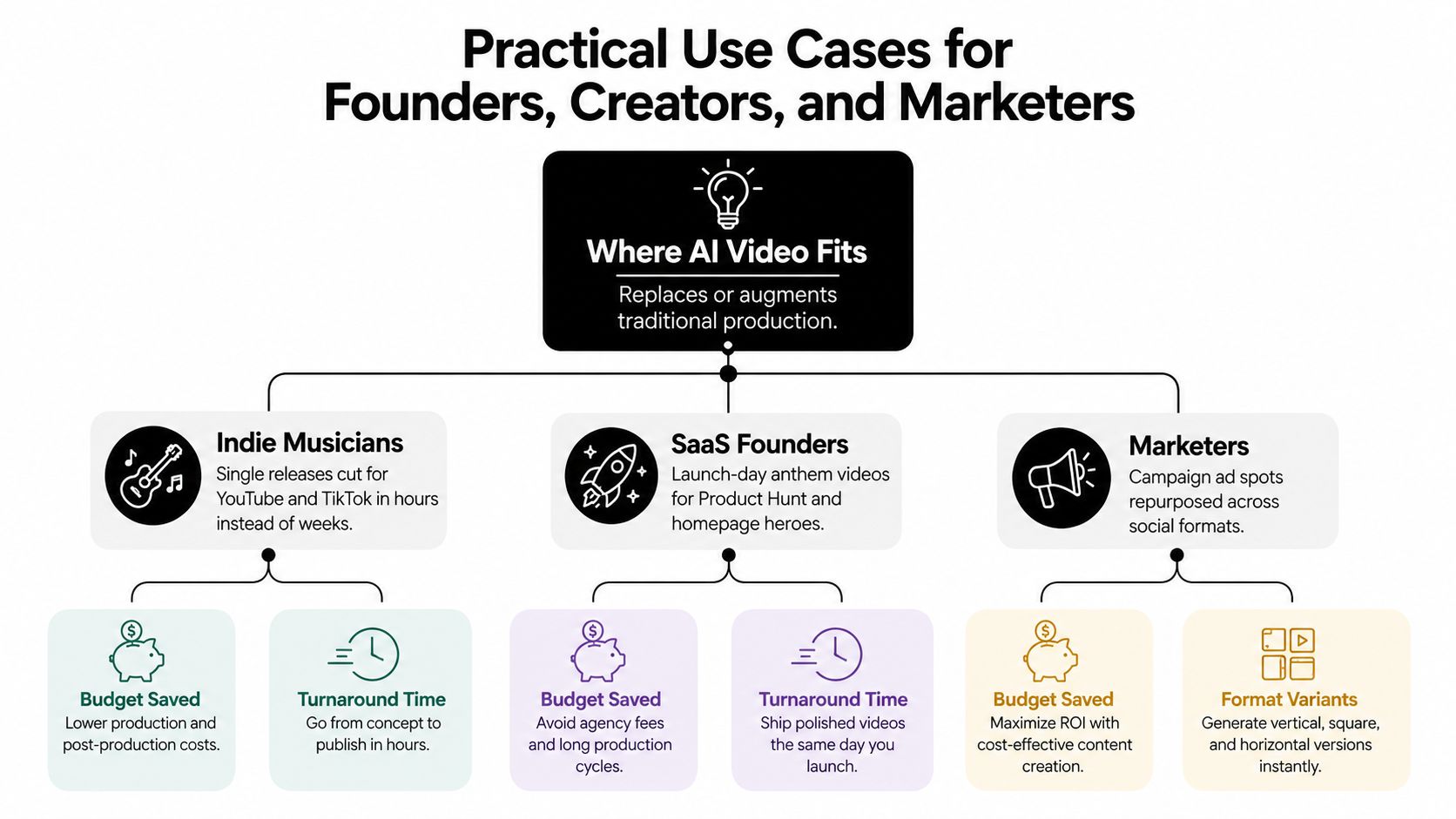
The best uses aren't abstract. They're tied to delivery formats, channel behavior, and how much time the team has before launch day ends. A music video generator becomes valuable when it can produce something that fits the channel without a second production pass.
Indie musicians and release-day content
An indie artist usually needs one song to do several jobs. A YouTube release video, a TikTok hook, an Instagram Reel, and a Spotify Canvas-style loop all come from the same track, but each needs a different rhythm. Music-first generation is useful here because the visuals can stay in step with the arrangement instead of floating around it.
A good prompt for this use case is compact. Try: “Moody stage performance, dark venue, slow push-in on verse, brighter chorus lighting, clean lip sync, no crowd closeups, keep the vocalist centered.” That gives the tool enough direction without overfitting every shot.
SaaS founders and launch-day trailers
For a product launch, the goal is not art for art's sake. It's a trailer that feels native on the homepage, the launch page, and the social feed. A generated music video can become a brand anthem loop, a hero section background, or a short Product Hunt clip that makes the launch feel intentional instead of improvised.
A launch prompt should name the product motion. Use phrases like “dashboard transitions,” “feature reveal,” and “clean UI reflections” if the tool supports them. Keep the music driving the pacing, because overcomplicated scene instructions usually weaken the result.
Marketers and reusable campaign assets
For campaign teams, the true value is repurposing. One generated video can become a paid social teaser, a story format cut, a homepage loop, and a short YouTube pre-roll asset. The same core render can also support SEO if the landing page embeds the transcript and captions cleanly.
Practical rule: don't ask the generator to create every final version from scratch. Create one strong master, then cut variants from that master for format, aspect ratio, and message.
The pattern holds across launch types. A bootstrapped team can use one song to make every member's post feel personal. An agency can use the same workflow to turn a mood board into a client-facing cut without spending a day on pre-production. The advantage comes from repeatability, not from one perfect output.
Prompt Examples and Production Tips That Improve Output
A lot of bad output comes from vague prompting, not from bad models. If the tool doesn't know whether the verse should feel intimate or aggressive, it'll improvise, and that usually hurts continuity.
Prompt templates that actually help
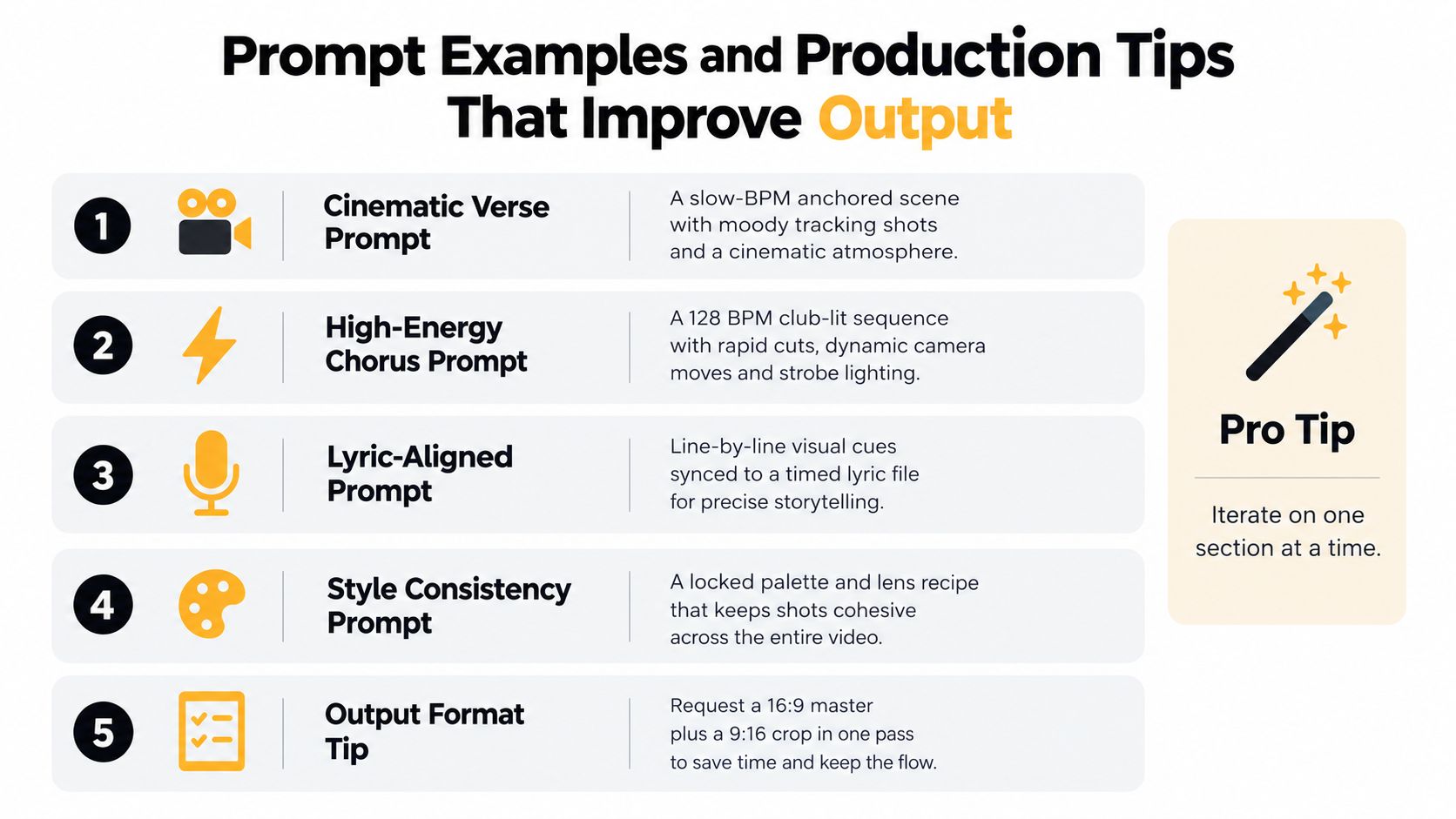
- Cinematic verse prompt: “Slow BPM, midnight city street, long lens, restrained camera movement, soft haze, reflective pavement, low contrast.”
- High-energy chorus prompt: “Fast-cut club sequence, bright strobes, 128 BPM feel, rapid camera motion, high saturation, strong motion blur.”
- Lyric-aligned prompt: “Show each lyric line as a visual cue, keep the vocalist centered, sync mouth movement to timed lyric file, emphasize line breaks.”
- Product-hero prompt: “Clean SaaS launch scene, glossy UI surfaces, subtle motion, brand colors, feature reveal timed to beat drop.”
- Abstract loop prompt: “Non-figurative shapes, fluid color transitions, smooth loop, no characters, background-safe motion.”
Control the parts that matter
Negative prompts are useful when you want to avoid drift. Call out what you don't want, such as extra limbs, smeared text, or crowded compositions. Camera motion also needs to be named directly. If you want a slow dolly, a handheld feel, or an aerial move, say so.
Timestamping helps more than expected. If the platform accepts timing notes, anchor major scene changes to drops, chorus starts, or lyric changes. That keeps the edit from feeling like a random slideshow.
Keep the first pass small
First-generation clips should stay short, because QA is faster when you're checking four to eight seconds instead of a minute of footage. Regenerate from the same seed when the tool supports it, because consistency matters more than novelty for brand work. Finish the look in DaVinci or another editor if the colors need cleanup.
A useful habit is to export both the 16:9 master and the 9:16 cut in the same pass. That one decision saves a full round of rework when the same launch needs to hit YouTube, Shorts, and Reels.
Legal, Copyright, and Ethical Considerations
Founders tend to assume that if the software generated the video, the legal risk is low. That's not a safe assumption. The output may be generated, but the source song, the likenesses, the footage references, and the training data can all create exposure.
The first distinction is between output rights and source rights. Owning the video file doesn't automatically settle whether the music, imagery, or style references are cleared for commercial use. That's why commercial licensing clarity matters more than slick demos, especially if the video is going into paid ads, broadcast placements, or sponsor-facing launch decks.
Practical rule: if a vendor can't say what commercial use is allowed, treat the output as demo-only until counsel says otherwise.
The second issue is likeness and consent. If the video uses real artists, recognizable faces, or third-party footage, you need to know whether the tool supports explicit consent workflows and whether your use fits local disclosure rules. Deepfake and biometric consent expectations are stricter than they used to be, and launch teams should assume the burden is on them to prove permission, not on the platform to prove innocence.
There's also the question of music clearance itself. Even if the generated visuals are original, the song might not be. That means rights to the track, rights to the vocal performance, and rights to any sampled source material still need to be reviewed before the video goes live.
A deployer checklist should cover indemnification, watermark stripping, talent releases, music clearance, and platform-specific policy alignment before any public launch. That sounds tedious until a campaign is flagged mid-release. Then it looks cheap.
Treat the legal review as part of production, not part of cleanup. The teams that do this early can move faster later because they don't have to pull assets back down after distribution has already started.
Turning Generated Videos Into Launch and SEO Assets
A generated music video pays off when it's reused. The same render can support a launch trailer, a homepage hero loop, a Product Hunt post, an Instagram Reel, a YouTube Short, and a long-form upload with captions. That's the compounding part, and it's where an AI music video generator becomes more than a creative shortcut.
Make each render searchable
Use descriptive filenames, transcript embedding, chapter markers, and video schema markup. Closed captions matter because they give search engines and viewers more context than the visual alone, especially when the clip is embedded on a landing page. A transcript also helps when the same video has to support both conversion and organic discovery.
The asset library approach is what makes this durable. Keep the prompt, the seed, the selected clips, and the style notes in one place so the next launch inherits the same visual language. That gives the brand consistency without forcing every campaign to rediscover its own look.
Repurpose the same asset across surfaces
| Surface | Format / Cut | Primary SEO or Marketing Goal |
|---|---|---|
| Homepage hero | Loop or short master | Increase time on page and reinforce positioning |
| Product Hunt | Short launch cut | Make the launch feel polished and clickable |
| YouTube | Full upload | Capture search and browse intent |
| Shorts and Reels | Vertical cut | Reach fast-moving social audiences |
| Blog embed | Embedded master with transcript | Support on-page context and indexable content |
For a launch team, the rollout can be simple. Day one is upload and captioning. Day two is homepage and Product Hunt placement. Day three is the social cutdown. Day four is transcript cleanup and schema. Day five is the blog embed. Day six is internal linking from related pages. Day seven is a second-format export using the same source assets.
If your goal is durable visibility, not just a one-day spike, build the video once and document everything around it. That's exactly the kind of asset that fits an SEO-led launch stack, including a platform like Aura++’s discovery workflow for product launches, where the publishing layer is designed to keep content findable after launch day.
If you're shipping a product, track, or campaign this month, pick one song, define the visual brief in one paragraph, and build the first master cut this week. Then turn that master into a homepage loop, a vertical social clip, and a YouTube upload with captions, so the work keeps paying back after launch day instead of disappearing into a feed.