A YouTube channel for a SaaS works when it answers the questions your buyers already type into YouTube search, one useful video at a time, and points the right viewers to your product at the end. It doesn't need a studio, a personality brand or a posting schedule that eats your week. For most solo founders and small teams, a realistic start is one 6 to 10 minute tutorial every week or two, recorded with a phone or a free screen recorder, about a job your customers are trying to get done. I think YouTube is one of the most underused channels for small B2B and prosumer products, mostly because founders picture "becoming a YouTuber" and quit before video three. This guide is the boring, practical version: whether your product fits, what to post, how to find topics, the setup, the gear, a script template, editing, titles and chapters, sending viewers to your product, Shorts, measuring it and a 14-day plan to ship your first two videos.
The short answer
If you only read one section, read this one.
Make tutorials, not ads. Each video solves one problem your buyer has, and your product shows up because it is how you solve it.
Pick topics from search, not from your roadmap. Support questions, YouTube autocomplete and the search terms report tell you what people want.
Start with the gear you have. A phone or a free recorder like OBS Studio is enough. Spend your first money on a microphone, not a camera.
Do the setup once. Verify your phone number in YouTube Studio so you can upload custom thumbnails, then reuse one title, description and thumbnail template.
Measure signups, not subscribers. Use a tagged link in the description and check which videos send people to your site.
Ignore ad revenue for now. The YouTube Partner Program needs 1,000 subscribers plus thousands of watch hours. That is not the point for a SaaS channel.
Should your SaaS have a YouTube channel at all?
Not every product needs one. YouTube is strongest when people learn your category by watching someone do the work. If your buyer's first instinct is to search "how to" and click a video, you have a channel. If your buyer is a procurement team reading security docs, you probably don't.
Good fit for YouTube | Weak fit for YouTube |
|---|---|
Your product has a visible workflow (editing, scheduling, building, reporting) | Your product mostly runs in the background (an API, a sync job, a monitoring agent) |
Buyers search "how to do X" before they search for a tool | Buyers only search for tools by name or by compliance standard |
You can show a real result in under 10 minutes | The result takes weeks to appear |
Your users are prosumers, freelancers or small teams | Your buyer is a committee that never watches tutorials |
You already answer the same support question by screen recording | Your support questions are mostly about contracts and invoices |
Two or more rows on the left? It's worth a 30-day test. All on the right? Spend that time on another channel and come back later.
What should a SaaS YouTube channel actually post?
The mistake I see most is a channel full of feature announcements. Nobody searches for your release notes. People search for the job they are stuck on. Here are the video types that tend to earn views from strangers, roughly in the order I'd make them.
Video type | What it looks like | Why it works |
|---|---|---|
Problem tutorial | "How to plan a week of shifts for a 6 person team" | Matches what buyers search before they know your product exists |
Workflow walkthrough | Start to finish of one real task inside your product | Shows the result and the effort, which is what trial users want to see |
"Without X" video | "How to track shifts without a spreadsheet" | Catches people who are tired of their current method |
Customer question answer | One support question, answered properly in 5 minutes | Cheap to make, and you can link it from your help replies |
Honest comparison | "Doing this in a spreadsheet vs a dedicated tool" | Buyers in decision mode watch these to the end |
My opinion: your first five videos should all be problem tutorials or workflow walkthroughs. Comparisons come later, when you know which alternatives your viewers actually use. If you already have a short product demo for your homepage, keep it there. A homepage demo and a YouTube tutorial do different jobs, and filming a 90-second product demo for cold visitors is its own skill.
How do you find video topics people search for on YouTube?
You don't need a paid tool to start. You need a list of 15 to 20 questions written the way your buyers would type them.
Mine your support inbox. Search for the questions you answer every week. Each one is a video. Write them down in the customer's words, not yours.
Type the job into YouTube search. Start typing "how to schedule shifts" and note what autocomplete suggests. Then look at the results. If the top videos are old, long and rambling, that's a gap.
Look at your sales and onboarding calls. What did people ask right before they signed up? Those questions sit close to a buying decision.
Check your website search data. If a query gets impressions on Google, a video on the same question often helps too. I wrote up how to judge which searches are winnable in finding keywords an indie SaaS can actually rank for; the same thinking applies to video titles.
After a few videos, read the search terms report. In YouTube Studio Analytics, the Reach tab has a "YouTube search terms" report that shows what viewers searched when they found your content. That becomes your best topic source.
Score each idea on two things: how close it is to a buying decision, and whether you can show a real result in under 10 minutes. Start with the ideas that score well on both.
How do you set up the channel in an afternoon?
Setup matters less than people think, but a few steps will save you trouble later.
Decide who owns it. Create the channel on an account the company controls, and make sure 2-Step Verification is on. You don't want your main video channel tied to a personal account you might lose.
Verify your phone number. In YouTube Studio, go to Settings, then Channel, then Feature eligibility. Phone verification gives you intermediate features, and you need a verified account to upload custom thumbnails.
Know what advanced features need. Advanced features, like pinned comments and higher daily upload limits, come from phone verification plus enough channel history, or ID or video verification where it's offered.
Write a plain channel description. Who the videos are for, what problems they cover, and one link to your site. Skip the mission statement.
Make two templates. One thumbnail layout and one description layout. You'll reuse both for every upload, which turns a 40-minute publish into a 10-minute one.
What gear do you need to record your first video?
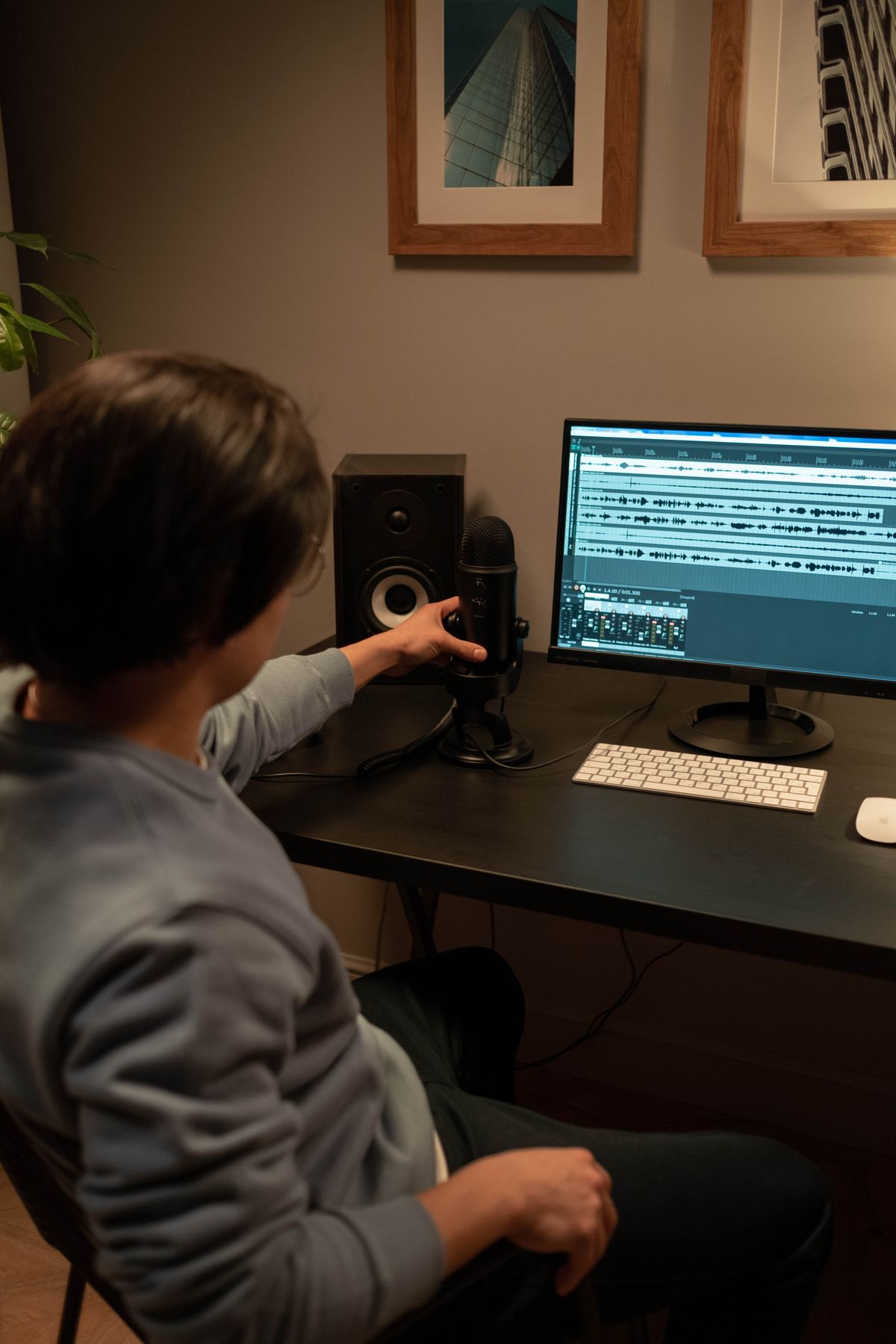
Less than you think. For a tutorial channel, viewers forgive an average picture. They don't forgive bad audio. If you spend money on one thing, make it a decent USB microphone, and record in a room with soft things in it (a sofa, curtains, a rug) so your voice doesn't echo.
Tool | What it's for | Cost (as of Oct 2026) | Notes |
|---|---|---|---|
Your phone | Talking-head intros, on-camera bits | Already owned | Put it at eye level, face a window, lock focus |
Screen plus webcam recording | Free and open source | Windows, macOS and Linux; a bit of setup, then very flexible | |
Quick screen recordings | Starter is free; Business listed at $18 | Starter caps recordings at 5 minutes and 25 videos per person, so it suits drafts and short answers more than full tutorials | |
Editing | Free version available | Free version handles up to Ultra HD 3840 x 2160 at up to 60fps, which is more than a tutorial needs | |
YouTube Studio editor | Light trims and end screens | Free | Fine for cutting a bad start or ending without re-uploading |
Before you record, clean up your screen. Use a demo account with realistic sample data, close every notification, hide your bookmarks bar and zoom the browser to about 125% so text is readable on a phone. That last one matters more than any camera.
How do you script a 6 to 10 minute tutorial?
Don't write a word-for-word script unless you're a good reader. Write an outline with the exact steps and the exact result, then talk through it. Here's the structure I use, with timings for an 8-minute video.
Part | Time | What you say or show |
|---|---|---|
Result first | 0:00 to 0:30 | Show the finished thing, then say what the viewer will be able to do by the end |
The problem | 0:30 to 1:30 | Why this is annoying, in one or two real situations |
Steps | 1:30 to 6:30 | Three to five steps, each with a short spoken label ("Step two: set the rules") |
Common mistake | 6:30 to 7:15 | One thing people get wrong, and how to avoid it |
Next step | 7:15 to 8:00 | One related video, and one line about your product if it fits |
Example (made up): Kilnshift is a fictional booking and shift tool for small pottery studios, run by one founder. Instead of a video called "Kilnshift 2.0 walkthrough", the founder makes "How to schedule kiln firings when five people share one kiln". The first 30 seconds show a finished week with no clashes. The steps are: list the firings, set the cool-down rule, let members book slots, handle a swap. The product is on screen the whole time, but it's never the topic. At the end the founder says one sentence: "I built Kilnshift to do this, there's a link in the description if you want to try it." That's the whole pitch.
In my experience, the result-first opening is the single biggest fix for most founder videos. People decide in the first few seconds whether you'll actually help them.
How should you edit without losing a week?
Set a time limit: one hour of editing per finished video while you're starting out. Your goal is "clear", not "polished".
Cut the dead air. Remove pauses, false starts and the "um, where was that button" moments. This alone often takes a 12-minute recording down to 8.
Zoom where it matters. When you click something small, zoom the frame so a phone viewer can see it.
Add simple text labels. A step number and two or three words on screen helps people skim back.
Leave the last 20 seconds clean. End screens sit in the final 5 to 20 seconds of a video, so don't put important on-screen content there.
Skip the music, or keep it quiet. And only use tracks you have the rights to. A copyright claim on video one is a miserable start.
Don't redo a video because the lighting is slightly off. Ship it, and fix the lighting next week.

How do you write titles, descriptions, thumbnails and chapters?
This is the packaging, and it decides whether anyone clicks. Some limits and rules worth knowing, from YouTube's own help pages:
Element | Rule or limit | What I'd do |
|---|---|---|
Title | Use the searcher's words first, keep the useful part in the first 60 or so characters | |
Description | Up to 5,000 characters | Two lines summarising the video, your link, then chapters |
Tags | YouTube says tags play a minimal role in discovery | Add a few common misspellings and stop there |
Thumbnail | The finished result plus three or four words, readable on a phone | |
Chapters | First timestamp 00:00, at least three in ascending order, each at least 10 seconds | One chapter per step, named like the step |
A good tutorial title reads like the search: "How to schedule kiln firings for a shared studio" beats "Kilnshift tips and tricks #4". A good thumbnail shows the after state. Your face is optional. Big, readable words and a clear picture of the result are not.
Chapters are worth the two minutes. They make a tutorial easy to skip around, and my guess is that people who can jump straight to the step they need are less likely to give up and close the tab.
How do you send viewers to your product without being pushy?
Viewers who stuck around for a full tutorial are warm. You don't need to shout. You need to make the next step easy.
One line in the video. Near the end, say what your product does in a sentence and where the link is. Once is enough.
Link near the top of the description. Use a tagged link (for example with UTM parameters) so your analytics can tell YouTube visitors apart from everyone else, and point it at a page that matches the video, not just your homepage.
Use end screens for the next video. End screens can show up to four elements on a standard 16:9 video, and the video has to be at least 25 seconds long. A link element to an outside website needs YouTube Partner Program membership, so most new channels will point to another video or playlist instead.
Pin a comment once you can. Pinned comments are an advanced feature. A pinned comment with the link and a one-line summary helps people who scroll past the description.
Reuse videos in your own funnel. Embed the tutorial on the matching help page, send it in reply to support questions, add it to onboarding. Views from people who already know you still count, and they help the video get going.
If you've run a workshop or a live session before, the recording can be cut into tutorials too. I covered that loop in running a live workshop that brings in SaaS customers; this post picks up where the recording ends.
Should you make Shorts too?
Maybe, but not first. Shorts can be up to 3 minutes long in a square or vertical format. For a SaaS, they work best as a trailer for a long tutorial: one tip, one result, 30 to 60 seconds. With advanced feature access you can attach a related video link to a Short, which sends viewers from the Short to the full tutorial on your channel.
My opinion: make Shorts only after you have five long tutorials. Without them, a Short has nowhere useful to send people.
How do you know if it's working?
Subscribers are a nice number to look at, but they don't pay you. Track a small set of numbers every two weeks.
What to check | Where to find it | What it tells you |
|---|---|---|
Traffic source: YouTube search | Whether strangers are finding you by searching | |
YouTube search terms | Reach tab, "YouTube search terms" report | Which words to use in your next titles |
Thumbnail impressions click-through rate | Reach tab | Whether your title and thumbnail earn the click |
Average view duration | Video analytics | Whether the video delivers what the title promised |
Visits and signups from your tagged links | Your own website analytics | Whether the channel is doing its actual job |
Keep a simple sheet with one row per video: title, publish date, views at 30 days, search share, clicks to site, signups. After ten videos you'll see which topics bring buyers and which only bring viewers. Make more of the first kind.
Give it time. In my experience, search traffic on YouTube builds slowly as videos get found for their topic. Judge the channel after 10 videos or 3 months, whichever comes later, not after the first upload.
Can a SaaS YouTube channel make money from ads?
Eventually, maybe, but don't plan around it. To join the YouTube Partner Program, a channel needs 1,000 subscribers with either 4,000 qualified watch hours in the last 12 months or 10 million qualified Shorts views in the last 90 days, along with other requirements like 2-Step Verification, advanced features access and following the monetization policies. Then the channel goes through a review.
For a niche software channel, a few hundred views from the right buyers is worth far more than ad revenue would be. One new customer can pay for months of your time on the channel. Treat ad money as a bonus if it ever arrives.
What are the common traps?
Making videos about your product instead of the problem. Feature tours belong in onboarding, not in search.
Waiting for better gear. The first ten videos will be your worst no matter what you film them on. Get them out of the way.
Long intros. No logo animation, no "hey guys, welcome back". Show the result.
Tiny text on screen. Assume some viewers are on a phone. If they can't read the button, they leave.
One-off bursts. Five videos in a week, then nothing for two months. A slow steady pace beats a burst.
Sending everyone to the homepage. Point each video to the page that matches what they just watched.
Buying views or subscribers. It wrecks your numbers and risks the channel. Not worth it.
A 14-day plan to ship your first two videos
Day | Task | Done when |
|---|---|---|
1 | Fit check with the table above; pull 20 questions from support, calls and search | A list of 20 questions in your customers' words |
2 | Score each for buying closeness and "result in 10 minutes"; pick the top two | Two topics chosen |
3 | Create the channel on a company account, turn on 2-Step Verification, verify your phone | Custom thumbnails available |
4 | Set up OBS or your recorder, test your mic, build a clean demo account | A 1-minute test recording you can hear clearly |
5 | Outline video one with the 5-part structure | One page outline with steps and timings |
6 | Record video one (two takes maximum) | Raw footage saved |
7 | Edit for one hour: cut dead air, zoom, labels, clean last 20 seconds | Exported video |
8 | Make thumbnail and description templates; write title, chapters, tagged link | Video one published |
9 | Share it with five customers who asked that question, embed it on the matching help page | Five people sent the link |
10 | Outline video two | Outline done |
11 | Record video two | Raw footage saved |
12 | Edit video two, add an end screen pointing to video one | Exported video |
13 | Publish video two using the templates | Published in under 15 minutes |
14 | Start the tracking sheet; book a fixed weekly slot for the next video | Sheet created, next recording on the calendar |
FAQ
Do I need to show my face on a SaaS YouTube channel?
No. Plenty of useful tutorials are screen recordings with a voiceover. A short on-camera intro can help people trust you, but clear audio and a clear screen matter more.
How long should a SaaS tutorial video be?
As long as the task takes to show properly, and no longer. For most single-task tutorials that lands somewhere between 5 and 10 minutes. Cut anything that isn't a step, a result or a mistake to avoid.
How often should a small SaaS post on YouTube?
Pick a pace you can keep for three months. One video every week or two is realistic for a solo founder. A steady pace you keep beats an ambitious one you drop.
Can I upload the same video to my website and YouTube?
Yes. Embedding your YouTube video on the matching help or landing page is a good idea. It gives the video views from people already on your site and gives the page something more useful than a wall of text.
Record the first one this week
You don't need a channel strategy deck. Take the support question you answered most often this month, show the answer on screen in under 10 minutes, and publish it with a clear title and a tagged link. That's a SaaS YouTube channel. The next nine videos are just repetition.
And if you want a place to put your product in front of founders and early adopters while the channel grows, Aura++ is a launch and discovery platform where people find new products.